🧭 “The purpose of meetings is not to talk – the purpose of meetings is to arrive at ideas, solutions, plans, and decisions.” – Alexander Kjerulf
Hello Reader,
I have tried all the AI meeting notetakers over the past few years.
Fireflies, Otter, Fathom, Monologue, and more have all had a turn in my systems. Traditionally, I give them a month or two, and get dissatisfied at some feature or annoying user friction – until six months ago.
(Disclaimer: by clicking my affiliate link, at no cost to you, I may earn a commission. I recommend these tools because they are high quality, and I use them in my own business.)
💡 Granola is the best AI meeting notetaker I have tried.
Anybody can vibe code a meeting notetaker app. There are hundreds (maybe thousands) available on the internet. Where is the moat, with such a commodity? Usability, convenience, and style.
1. Granola lets you share meeting notes without making users sign up for an account.
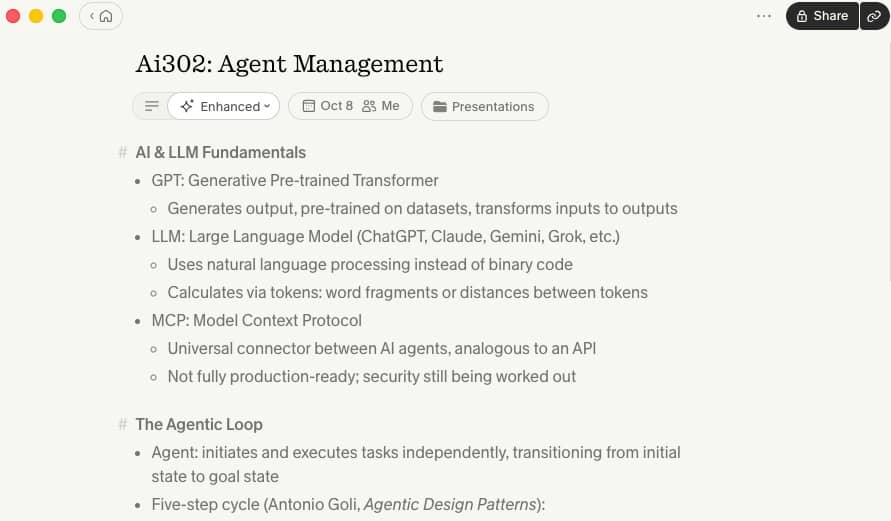
This is my favourite feature – the one-click link. In the upper right hand corner of your app’s overview, you can click a link like this (to see the notes from a recent workshop) and you will see a well-written Markdown overview, with AI chat in the sidebar.
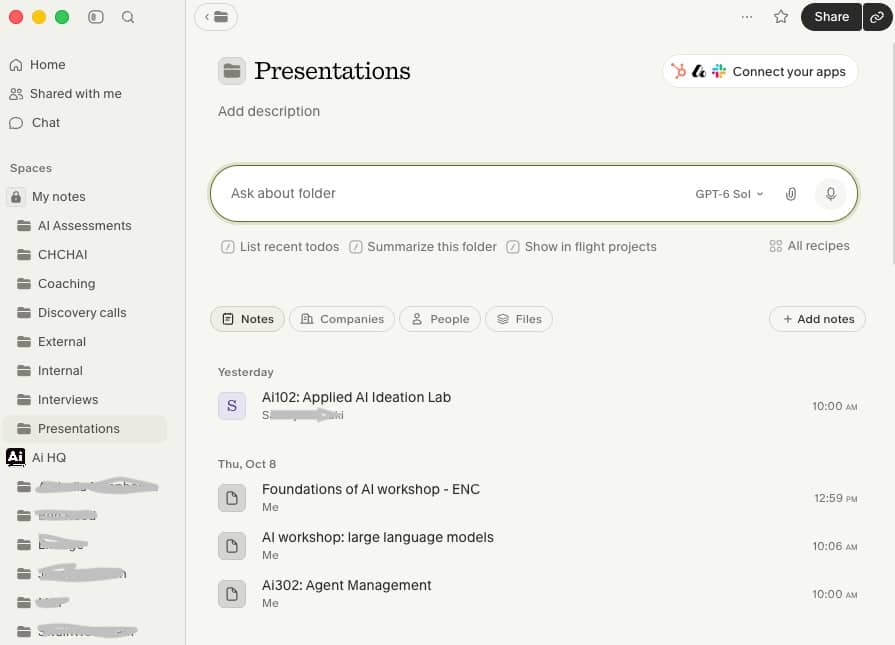
My Granola app looks like this
Let’s say you have a productive meeting with a client. You discuss their challenges, brainstorm solutions, and make decisions.
After the meeting, you want to share your notes with them.
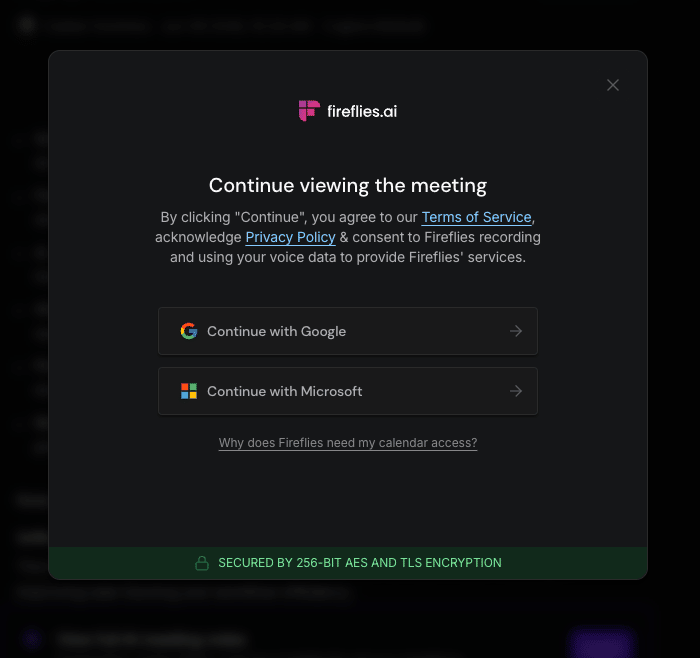
With some other commodity competitors, your client will encounter a signup screen after clicking your link. They have to create an account, verify their email, maybe even set up 2FA, just to read the notes from a meeting they attended.
This friction made me feel embarrassed to share meeting notes with my coaching clients, when I was using Fireflies.
Fireflies won’t let your client read the notes anonymously
When I was using Fireflies with my AI Coaching clients, rather than sharing the simple link, I often copy/pasted the notes manually (like some sort of savage) to email them the notes separately.
To be fair, Granola has a pop-up too, but you can click ‘Maybe Later’ or click outside the box, and it’s gone. Fireflies comes back in like a bully, refusing to let your client read the notes unless they sign in.
While I liked how Fireflies would auto-join scheduled meetings, I really disliked it when Fireflies and Fathom would add to the chatbox uninvited, or add their logo to the video screen, masquerading as an eavesdropping participant.
Granola just runs locally (and discretely) on your computer. It hears Zoom and Teams meeting just fine, without actually entering the meeting.
2. Granola organises meeting notes into folders.
Plenty of other apps do this too, but Granola suggests the right folder, based on context. It uses AI in its own organisation and thinking.
I find this particularly helpful, because you can chat with the folder.
Client names redacted for privacy.
By organizing all of my ongoing meetings with a client into one folder, I can chat with any individual meeting, or with the folder as a whole.
This allows me to brainstorm with the ongoing growing connected context that I am building with a client, and use a frontier AI model to review progress, discover gaps, and illuminate possibilities for progress.
3. You can chat directly with folders.
Rather than asking an AI chatbot questions about one meeting, I can ask questions about every conversation we’ve had throughout the coaching relationship.
What challenges keep resurfacing?
Which commitments have still not been completed?
How has the client’s thinking evolved over the past six months?
Granola can draw on the collected context of those meetings to help me understand the bigger picture.
In a recent newsletter, I wrote about building a Company Brain: a system that captures institutional knowledge so AI can use it to improve future work. Granola is a practical example where you can see this working, with no code and low tech.
Every meeting contributes more context to the growing repository. Every conversation adds another layer of understanding. Your accumulated conversations become a searchable knowledge base.
Those are my top 3 reasons for liking Granola the best. There are a bunch more, including:
Selecting between frontier models for your follow-up chats
Surprisingly good follow-up emails (trained on the voice and tone I used in the recorded conversation)
Templates for repurposing (you could automate sales proposals from discovery calls, change the default format for coaching follow-ups, or use one of their many Note Templates)
If you are dissatisfied with your current AI Meeting Notetaker app, I highly recommend giving Granola a try. It’s my fave, by far.
Gemini says their inline AI agent is now connected to longer-term context, memory and skills (meaning – the sidebar Gemini star won’t be an inferior chatbot compared to gemini.google.com)
OpenAI rolled out GPT 6 for everyone, including free users
Mistral released Large 4, Le Chonk, 1T parameters. Open-weights published later this month. EUAI has entered the chat.
👓 What I’m Reading
The World is Changing: AI For Creativity by Jeffrey Katzenberg – “Technology didn’t diminish the craft, it expanded the canvas. It gave artists more room to create.”
The 100x Knowledge Worker by Liminal Warmth – “Rather than being threatened by agents doing your job, if you can figure out how to isolate that core judgment aspect of your own discipline, you can apply the same refinement loop to your local environment.”
AHM Statement on OpenAI’s October 6 Release of Mathematical Documents – “Mathematicians did not ask for this work to be done.”
If the Internet gave everyone access to infinite information, AI has given us access to infinite skills. Managing these skills effectively will help you move beyond using AI as a research assistant, and into training an AI agent like a new hire on their first day of work. If you hire a capable new employee, you don’t simply at a project and say,…
Turn Curiosity to Growth Build smarter learning habits with AI support. Learn how to personalise learning paths, reflect more effectively, and continuously upskill in a fast-changing environment. Create personalised learning systems using AI. Turn information into insight through reflection and synthesis. Maintain continuous development without…
A monthly space to think better, together — with the help of AI. What happens when you blend human connection, coaching frameworks, and an AI that listens without judgment or ego? You get a power hour that jump-starts clarity, confidence, and momentum. Join Caelan Huntress for a monthly AI Coaching Power Hour. This session is designed to give…